
What makes an ecommerce builder easy to use?
Not a claim — the actual ShopSynco workflow, step by step, so you can judge for yourself.
No training required · No setup checklist · Free to start
What makes an ecommerce builder easy to use?
Specifics, not adjectives:
- Three fields to list a product — name, price, and a photo. Everything else is optional
- No theme to design. Your storefront exists the moment you add your first product
- One screen per order — customer, items, payment status, and delivery, together
- Nothing to configure before you can sell. Payments and shipping come with defaults you can change later, not before you start
The actual workflow
Four steps, start to paid order — real screenshots of the ShopSynco dashboard and storefront.
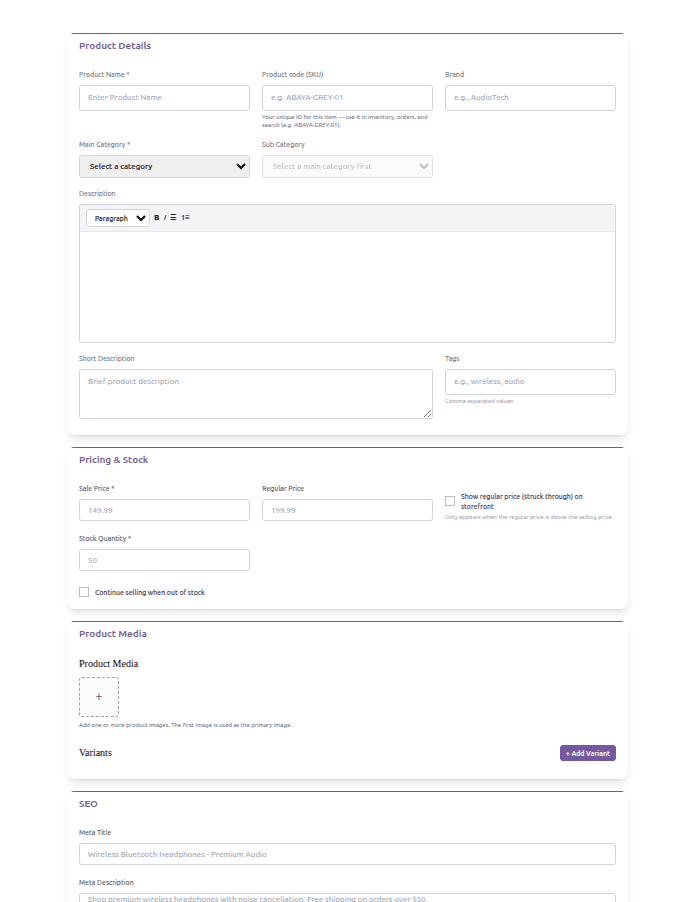
Add a product
Name, price, a photo, and a stock count. That's the whole form — variants, categories and the rest are there if you need them, not required before you can save.
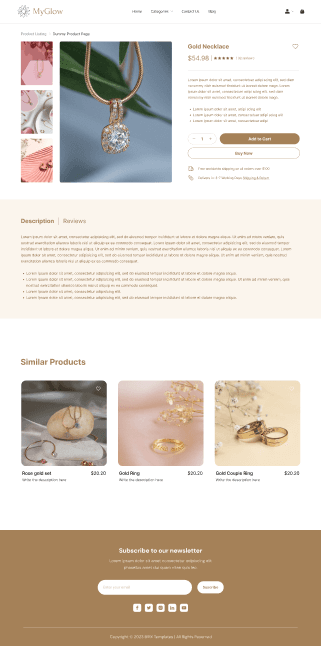
Your storefront updates itself
The product you just added is already on your storefront — no publish step, no theme editor, no separate “go live” button to find.
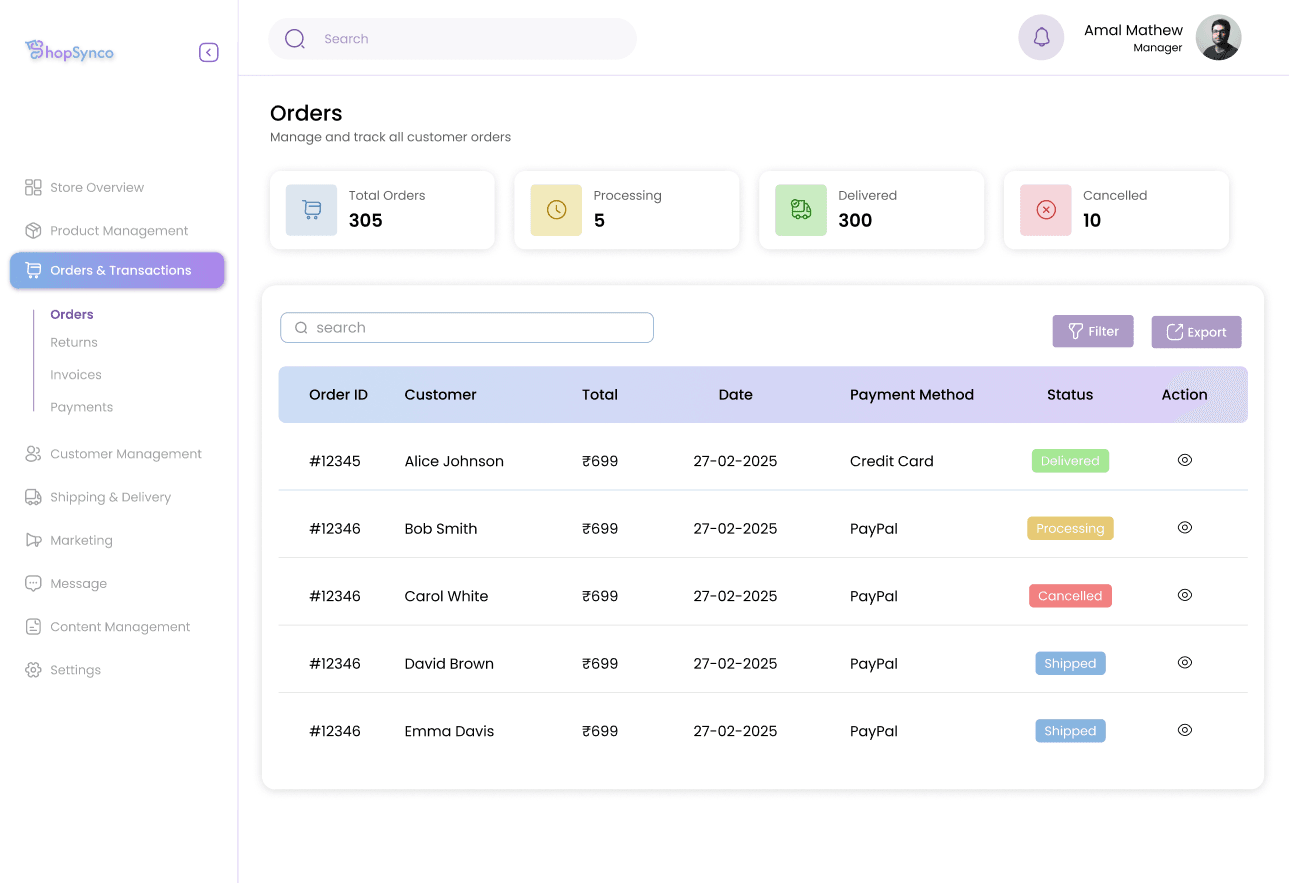
An order comes in
One screen shows the customer, what they ordered, and their delivery address together — not spread across separate order, customer and shipping tabs.
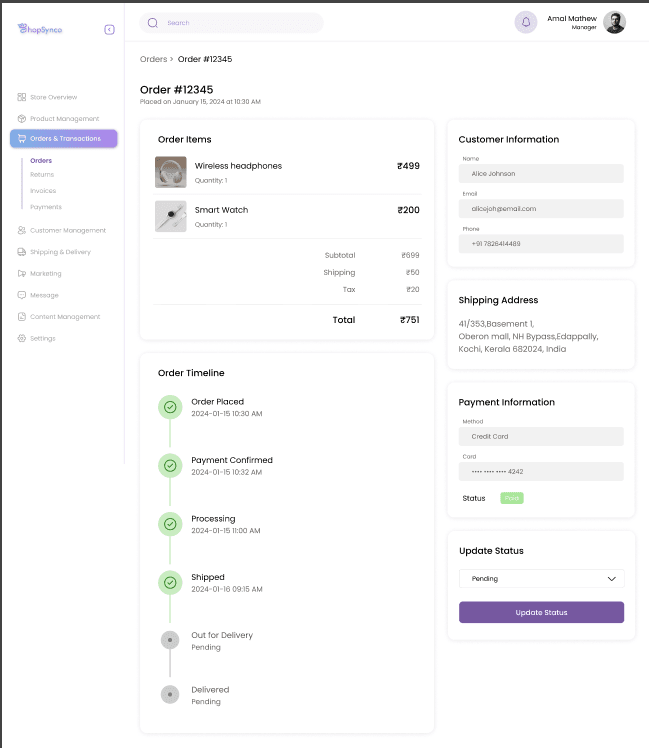
Payment is already reconciled
Whether the customer paid by Razorpay, Stripe, or cash on delivery, the order already shows it — nothing to match up by hand afterwards.
See how simple it is, yourself
Add your first product and judge the workflow firsthand.
Create my free storeSimplicity: questions
What makes ShopSynco easy to use compared to other ecommerce builders?
Fewer required steps before you can sell: adding a product needs a name, price and photo, your storefront updates without a separate publish step, and payments reconcile against orders automatically.
Do I need training to use ShopSynco?
No formal training is required. The dashboard is built around the small number of daily tasks a store owner actually does — adding products, checking orders, and tracking payments.
How many steps does it take to add a product?
One form: name, price, a photo, and a stock count. Variants, categories, and additional details are available but not required to save and publish a product.
Can I see what the dashboard actually looks like before signing up?
Yes — the screenshots on this page are the real ShopSynco dashboard and storefront. You can also watch the product walkthrough on the ShopSynco demo page before creating an account.
ShopSynco is built to be one of the easiest ecommerce website builders to use — fewer required steps before you can sell, not just a simpler-looking page. Learn more about ShopSynco, or ask us anything.